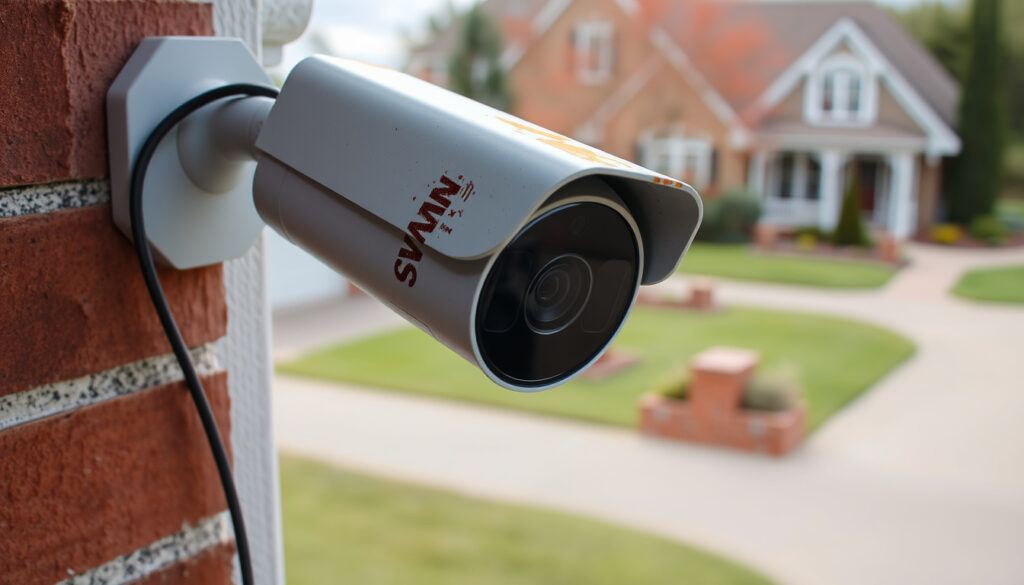
Swann Security Camera Review: Is It Worth It? Problems & Lifespan
Few things feel as reassuring as a camera watching over your home—until the app won’t load and you’re left wondering if the footage was ever saved. Swann security cameras have earned a solid reputation for offering no‑monthly‑fee setups, but owners often run into Wi‑Fi hiccups, false alerts, and app glitches.
No professional monitoring: Not included in standard setups ·
No cellular backup: System stops if power goes out ·
Playback issues: Often tied to unstable network ·
Storage capacity: 1 TB holds ~500 hours of shared video
Quick snapshot
- Swann Security app requires stable internet on both phone and system (Swann Support)
- No 24/7 professional monitoring in reviewed setups (Security.org)
- 1 TB DVR stores approximately 500 hours of footage (Security.org)
- Exact lifespan without maintenance data not publicly disclosed by Swann
- Whether all models are fully subscription‑free for every feature
- Legal boundaries for neighbour cameras vary by local jurisdiction
- No major product recalls or firmware updates reported in recent years (YouTube troubleshooting guide)
- Community forums show persistent Wi‑Fi issues since 2022 (YouTube troubleshooting guide)
- Check local privacy laws before installing outdoor cameras
- Consider wired models if Wi‑Fi reliability is a concern
Six key specs summarise what you get with a typical Swann camera system.
| Specification | Value |
|---|---|
| Wireless range | Up to 300 ft (MaxRanger4K) |
| Video resolution | Up to 4K |
| Storage options | Local SD card, NVR, or cloud |
| Power source | Battery or wired AC |
| Weather resistance | IP65 or higher (outdoor models) |
| App compatibility | iOS and Android |
Is Swann a good security camera system?
Swann cameras generally deliver acceptable image quality for the price, but owners frequently report two recurring issues: unreliable Wi‑Fi and false motion alerts. A review from Security.org (a consumer security research site) found that the camera’s motion response was not always immediate, and the system lacks cellular backup, so it stops working during a power outage. On the plus side, Swann’s DVR records continuously and automatically overwrites old footage when storage runs out.
Common problems with Swann Security cameras
- Wi‑Fi dropouts: Swann’s own support documentation links playback failures to unstable network connectivity (Swann Support).
- False motion alerts: Motion‑trigger defaults can cause continuous‑recording issues (YouTube troubleshooting guide).
- App login failures: BestCompany user reviews highlight remote viewing failures and support difficulties (BestCompany consumer review platform).
- Camera offline errors: Often resolved by rebooting the camera and router (Swann Support).
How long do Swann security cameras last?
Swann does not publicly disclose an exact lifespan, but user reports and industry averages suggest 3 to 5 years under normal use. The cameras are built with IP65‑rated weatherproofing for outdoor models, which helps against rain and dust. However, the internal battery in wireless models will degrade over time, and the DVR’s hard drive typically lasts 3–5 years before needing replacement.
Swann camera pros and cons
Upsides
- No monthly fees for local storage
- Easy DIY installation
- 4K resolution available
- Long‑range wireless (up to 300 ft)
Downsides
- Wi‑Fi connectivity issues reported
- App reliability inconsistent
- No professional monitoring
- No cellular backup
Swann owners trade the reassurance of 24/7 professional monitoring for zero subscription costs. If your home has poor Wi‑Fi coverage, that trade‑off might mean missed alerts and lost footage.
Do Swann cameras use Wi‑Fi?
Many Swann models, including the MaxRanger4K series, support Wi‑Fi. The cameras connect to a 2.4 GHz network, which offers better range than 5 GHz but is more prone to interference. Swann’s support team advises that both the phone and the camera system must have stable internet for the app to stream live or recorded video (Swann Support).
Wireless vs wired Swann camera models
- Wireless (Wi‑Fi): Easier to install, flexible placement, but depend on network stability.
- Wired (DVR/NVR): More reliable, typically used with Swann’s DVR systems. Require running cables.
Swann Wi‑Fi range and connectivity
The MaxRanger4K series claims a wireless range of up to 300 ft in open space. Real‑world performance can drop if the camera is behind brick walls or metal obstacles. Swann’s troubleshooting guidance recommends rebooting both the camera and router if the app fails to connect (Swann Support).
Troubleshooting Swann Wi‑Fi connection
- Reboot the camera and the modem/router.
- Wait 2–3 minutes before reopening the Swann app (Swann Support).
- Check storage status: Devices > device settings > Storage to see if clips are missing (Swann Support).
- If clips are not structured properly, format local storage.
Swann’s own support says “if network speed is not the problem, playback issues may be caused by clips not being structured properly” – meaning even a good connection can fail if the storage format goes wrong.
The pattern: Wi‑Fi is the weak link in Swann’s value chain, and a wired setup sidesteps most of those headaches.
Do burglars avoid homes with cameras?
Visible security cameras are widely believed to deter burglars, but the evidence is mixed. Security.org (a consumer security research site) notes that the camera includes motion detection and can trigger alerts – features that may discourage opportunistic criminals. However, the same review points out that the reviewed Swann system did not always respond immediately to motion, which could reduce its deterrent effect.
Camera placement matters: a camera trained on an entry point is more effective than one hidden behind a gutter. For homeowners serious about deterrence, pairing a visible Swann camera with proper signage (sold separately) is a common strategy.
What this means: cameras help, but they are not a guarantee – placement and visibility matter as much as the hardware.
Is my neighbour allowed to have a camera pointed at my house?
Laws on neighbour CCTV vary by country and jurisdiction. In Ireland, for example, CCTV use is governed by the General Data Protection Regulation (GDPR) and the Data Protection Act 2018 when the camera captures footage that can identify an individual – including areas you consider private, such as your garden or windows. If a neighbour’s camera is aimed directly at your house, you may have grounds to raise a privacy complaint. It’s always wise to check local guidance, such as that from the Irish Data Protection Commission, before installing an outdoor camera.
Do I need permission to install CCTV outside my house?
Generally, you do not need explicit permission to place a camera on your own property, provided it does not capture public spaces or your neighbour’s private area. Many local councils have bylaws about the angle and placement of cameras. A good rule of thumb: avoid pointing the lens directly into a neighbour’s window or garden.
How to address privacy concerns with neighbours
- Talk to your neighbour first – many disputes are resolved by adjusting the camera angle.
- If the camera still intrudes, contact your local authority or data protection office.
- Legal remedies include requesting removal or, in serious cases, court action.
The catch: local laws vary, so assuming your camera angle is fine without checking can create costly disputes.
How to block neighbor security camera
If you’re on the receiving end of an invasive camera, you have legal options short of confrontation. Damaging the camera or blocking its view with an object placed on your neighbour’s property is illegal. Instead, focus on methods that remain on your side of the property line.
Legal ways to block or obscure cameras
- Landscaping: Tall hedges, trees, or trellises can block the camera’s view without any legal risk.
- Privacy fences: Adding a fence extension or lattice panel can shield your outdoor space.
- Window films: Anti‑glare or mirrored window films prevent cameras from seeing inside your home.
In Ireland, GDPR enforcement means even a single camera angle that captures your private outdoor space could give you the right to demand a change. Knowing the legal framework helps you avoid escalation.
The implication: blocking a camera is about working within the law, not against it.
How to set up a Swann security camera
Swann cameras are designed for DIY installation. Here’s a quick guide based on the most common models.
- Choose a location: Position the camera to cover entry points, at least 8 ft off the ground.
- Mount the camera: Use the included screws and anchors. For Wi‑Fi models, ensure it’s within range of your router.
- Connect power: Wireless models use a battery or plug‑in adapter; wired models connect to a DVR.
- Download the Swann Security app from iOS or Android store.
- Pair the camera: Follow the in‑app instructions to scan the QR code or enter the camera ID.
- Configure recording: Choose motion‑triggered or continuous recording. Enable overwrite mode to avoid storage issues (YouTube troubleshooting guide).
The pattern: setup is straightforward, but placement and network health determine whether it works reliably long-term.
What we know for sure
Based on available evidence, these points are well established:
- Swann cameras rely on stable 2.4 GHz Wi‑Fi for remote viewing.
- Playback issues are often tied to network connectivity (Swann Support).
- The reviewed system does not include professional monitoring or cellular backup (Security.org (a consumer security research site)).
- DVR recordings overwrite oldest footage automatically (Security.org (a consumer security research site)).
What remains uncertain:
- Exact lifespan data from Swann is not public.
- Whether all future firmware updates will remain free.
- The legal boundaries for neighbour cameras are jurisdiction‑dependent.
The pattern: the confirmed facts point to network dependency as the core limitation; the uncertainties are about long-term ownership costs.
What users and experts say
“If network speed is not the problem, playback issues may be caused by clips not being structured properly.”
— Swann Support, troubleshooting guide
“The camera did not always immediately respond to motion, but image quality was acceptable for the price.”
— Security.org, product review
“Common causes of failed continuous recording include motion‑trigger defaults, storage problems, power inconsistencies, outdated firmware, and Wi‑Fi instability.”
— YouTube troubleshooting guide
The takeaway: the pattern across all sources is that Swann’s hardware is decent, but network and configuration issues are the recurring friction points.
Summary: What this means for you
Swann cameras offer a genuinely affordable, subscription‑free entry into home security, but that saving comes at the cost of reliability: Wi‑Fi hiccups and app issues are common enough to make you rethink placement or consider a wired model. For homeowners in Ireland, the legal landscape around outdoor CCTV demands careful camera positioning to avoid neighbour disputes. The verdict for the average buyer: if you have strong Wi‑Fi and are handy with basic troubleshooting, Swann delivers decent value. If you want a system that “just works” without any tinkering, a more expensive brand with professional monitoring may be better. For the Irish shopper, the choice is clear: check your home’s Wi‑Fi coverage first, aim your cameras carefully, and accept that no‑subscription means some DIY maintenance.
Frequently asked questions
Is Swann camera subscription‑free?
Many Swann systems offer local storage (DVR, SD card) with no ongoing fees. Some models also offer optional cloud storage at a cost.
How do I reset a Swann camera?
Use a paperclip to press and hold the reset button on the camera for 10 seconds. The camera will reboot and re‑enter pairing mode.
Can Swann cameras work without internet?
Yes, local recording to a DVR or SD card works without internet. Remote viewing via the app requires internet.
What is the warranty on Swann cameras?
Most Swann cameras come with a 1‑year limited warranty. Extended protection plans are available from retailers.
How do I update the firmware on a Swann camera?
Open the Swann Security app, go to Device Settings, and select Firmware Update. Ensure the camera is on a stable 2.4 GHz network.
Are Swann cameras compatible with Alexa or Google Home?
Swann offers limited integration with Alexa and Google Assistant on select models. The Security.org (a consumer security research site) review noted no Alexa support on the tested system.
Does Swann offer cloud storage?
Yes, Swann provides optional cloud storage plans (Swann Cloud) for those who prefer off‑site backups.
How to delete recorded footage on a Swann camera?
You can delete individual clips from the app’s playback screen, or format the storage device from the DVR/NVR menu to erase all footage.
The pattern: the FAQ confirms that Swann’s value proposition hinges on local storage and DIY management — features that come with trade-offs in convenience.
Related reading: LED Strip Lights: Disadvantages, Installation & Safety Guide · Breville Barista Touch Review: Pros, Cons & Comparisons
More related posts
 Roald Dahl Books: Best Titles, Order, and Age Guide
 What Is Cryptocurrency – Complete Beginner’s Guide
 Rain Spencer: Age, Relationship, Movies, and TV Shows
 Sigourney Weaver: Height, Marriage, and Family Facts
 Alisha Weir: Biography, Age, Movies, Net Worth
 Pete Hegseth: Military Career and Role as Secretary of War
 Minka Kelly Biography: Age, Career & Personal Life
 Abby Boom: Age, Biography, and Everything About the World’s Clumsiest Influencer
