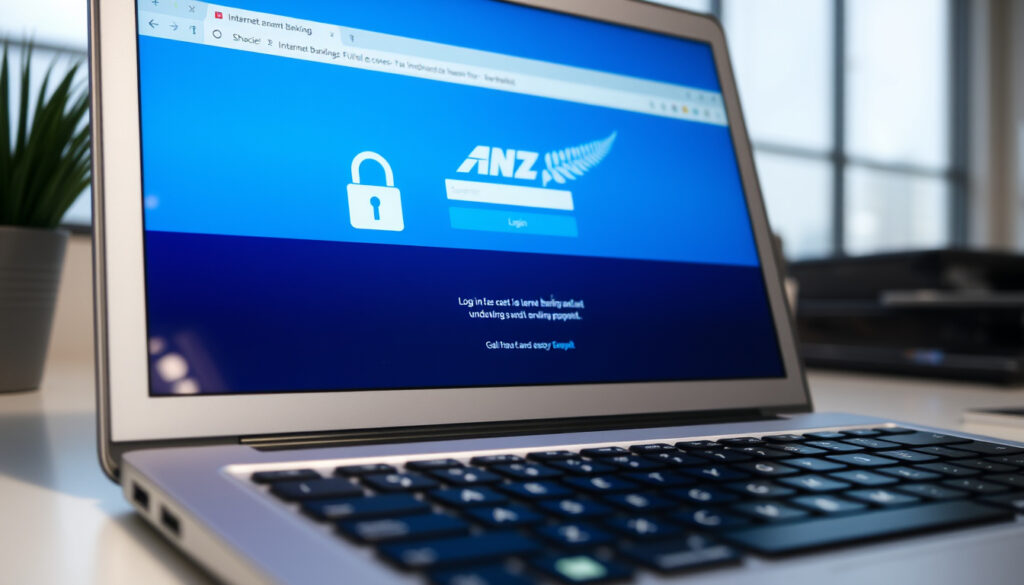
ANZ NZ Login – Step-by-Step Internet Banking Guide
Accessing your ANZ New Zealand account requires navigating either the Internet Banking portal or the goMoney mobile app. Both platforms use a combination of customer credentials and two-factor authentication to protect your personal information. This guide walks through the official login process, credential recovery options, and common troubleshooting steps based on information available from ANZ.
Whether you are a first-time user setting up your account or an existing customer experiencing access issues, understanding the proper login procedures helps ensure smooth and secure access to your banking services. ANZ offers different login methods depending on whether you prefer banking through a web browser or a mobile device.
The bank operates under regulation from the Reserve Bank of New Zealand, which sets standards for secure banking access across the financial sector. Both the Internet Banking platform and goMoney app undergo regular security reviews to protect customer accounts from unauthorised access.
How Do I Log In to ANZ NZ Internet Banking?
The ANZ Internet Banking login page at login.anz.com/internetbanking requires your customer number and password. On your first login, the system prompts you to register for OnlineCode, which provides two-factor authentication for all subsequent access. This security measure applies to both the web platform and the goMoney app.
ANZ NZ provides two primary ways to access your accounts: through a web browser via Internet Banking, or through the goMoney mobile app available for iOS and Android devices.
Customer Number + Password + OnlineCode (2FA)
Web browser and mobile app (iOS/Android)
0800 269 296 (NZ) or +64 4 470 3142 (overseas)
The goMoney app offers an alternative login method using either a four-digit PIN or biometric authentication on eligible devices. If you already have Internet Banking set up, you can log in with your customer number and password, enter the OnlineCode from your mobile, and then set up your goMoney PIN for faster future access.
- Use the goMoney app for streamlined mobile access with PIN or biometric login
- Enable biometrics on your eligible device for faster authentication
- Keep your contact details updated to receive OnlineCode notifications
- Internet Banking sessions auto-log off after 15 minutes of inactivity
- Multiple concurrent sessions may trigger automatic logout for security
- Bookmark the official login page to avoid phishing sites
- ANZ monitors device data including swipes and typing patterns for fraud detection
| Fact | Details |
|---|---|
| Login Provider | ANZ New Zealand Internet Banking and goMoney |
| Primary Credentials | Customer Number and Password |
| Two-Factor Authentication | OnlineCode (SMS or push notification) |
| App Login Options | 4-digit PIN or biometric authentication |
| Availability | 24/7 with scheduled maintenance windows |
| Session Timeout | 15 minutes of inactivity |
| Password Format | 8-16 characters, case-sensitive, letters and numbers only |
What Is My ANZ Login ID and How Do I Reset My Password?
Your ANZ login ID is your customer number, which appears on the back of your credit and debit cards. You can also find it in the goMoney app under Settings, or by calling 0800 269 296 for assistance. Forgot login details can be recovered through the “Forgot login details?” link on the login page or by contacting ANZ support directly.
Recovering Your Customer Number
If you cannot locate your customer number, several options exist. The number printed on your ANZ debit or credit card serves as your primary identifier. Within the goMoney app, navigate to Settings where your customer number is displayed. Alternatively, call the support line to verify your identity and retrieve your number.
Resetting Your Password
Internet Banking password reset is not directly self-service for personal NZ accounts. Customers experiencing password issues should call 0800 269 296 for assistance. Company or Transactive users need to contact their Company Administrator to generate or update passwords.
ANZ passwords are case-sensitive and must contain 8-16 characters using letters and numbers only. Spaces are not permitted. Your password must include both upper and lower case letters.
For goMoney app users, PIN reset follows in-app steps with video guidance available demonstrating the process. ANZ emphasises that staff will never ask for your password, PIN, or one-time code over the phone or through unsolicited contact.
Why Can’t I Log In to ANZ NZ and How to Fix It?
Login difficulties can stem from several sources including incorrect credentials, browser compatibility issues, app version problems, or account lockouts. Identifying the specific cause helps determine the appropriate resolution path.
Common Login Issues and Solutions
For goMoney app users experiencing issues, first ensure your app is updated to the latest version. Check that your device location settings allow downloads from your current region. If problems persist, resetting your PIN through the in-app steps often resolves access problems.
Internet Banking browser issues may require checking your browser settings, clearing cache, or trying a different browser entirely. The system automatically logs out after 15 minutes of inactivity or when multiple concurrent sessions are detected.
ANZ monitors device data including swipes, scrolls, and typing patterns for fraud detection. Never share your PIN, OnlineCode, or grant remote access to your device to unsolicited callers claiming to be from ANZ.
Account Lockouts and Unlocking
If your account becomes locked due to multiple failed login attempts, call 0800 269 296 for assistance. Support staff can verify your identity and restore access. Some services operate during business hours (8am-6pm Monday to Friday), though fraud monitoring runs continuously for NZ personal banking.
When experiencing service disruptions, checking ANZ official channels helps determine whether issues are local or widespread. For all troubleshooting scenarios, the support line serves as the primary contact point when self-service options do not resolve the problem.
How Do I Register for ANZ Internet Banking NZ?
New users can register for ANZ services through the goMoney app, which requires meeting specific eligibility criteria. To join ANZ via goMoney, you must be at least 13 years old, have a New Zealand residential address, possess valid NZ identification (either a passport or driver’s licence), and own a compatible mobile device with a camera.
Registration Steps for New Users
Download the goMoney app and complete the registration form, which includes setting up your initial password. At the end of the registration process, make note of your reference number. You must then call 0800 269 296 (or +64 4 470 3142 from overseas) to confirm your identity and activate your account.
For those who prefer Internet Banking as their primary platform, the same registration process through goMoney establishes your credentials. Once your account is active, you can access Internet Banking using your customer number and password, with OnlineCode providing two-factor authentication.
Record your reference number during registration and have your NZ ID (passport or driver’s licence) ready when calling to confirm your identity and activate your account.
Existing Internet Banking users transitioning to goMoney simply log in with their current customer number and password, enter their OnlineCode, and then set up a PIN for app-specific access. This linking process connects your existing banking relationship to the mobile platform. For those interested in retail operations, you can find more information about Big W opening hours at $Big W opening hours Australia.
What Is ANZ NZ Two-Step Verification for Login?
ANZ implements two-step verification through a system called OnlineCode, which provides two-factor authentication across both Internet Banking and the goMoney app. This security layer requires you to confirm your identity using a code sent via SMS or push notification, in addition to your password.
Setting Up OnlineCode
OnlineCode registration occurs automatically on your first login to either platform. The system prompts you through the setup process, where you choose between receiving codes via SMS or through push notifications within the app. Both methods provide equivalent security protection.
Voice ID offers an additional authentication layer for telephone banking and certain in-app transactions. This biometric verification uses your voice pattern to confirm identity during support calls or high-value transfers.
Protecting Your Security Credentials
ANZ explicitly states that staff will never request your password, PIN, or one-time code through phone calls, emails, or messages. Any unsolicited request for these details should be treated as a potential scam attempt.
The bank also monitors device behaviour including typing patterns, swipes, and scrolling behaviour as part of its fraud detection systems. These measures operate continuously to identify suspicious activity on your account.
Timeline of Your Login Setup Journey
Establishing secure access to your ANZ account involves several sequential steps, from initial account creation through to full security configuration.
- Account Creation: Complete ANZ account opening in branch or online, providing identification and residential address verification
- Registration Initiation: Download goMoney app and begin registration, setting your initial password and receiving a reference number
- Identity Confirmation: Call 0800 269 296 with your reference number and NZ ID to activate your account
- First Internet Banking Login: Access the login page with your customer number and newly set password
- OnlineCode Registration: Complete the prompted setup for two-factor authentication via SMS or push notification
- App PIN Configuration: Set your four-digit PIN for quick goMoney access, optionally enabling biometrics
- Ongoing Security Maintenance: Keep contact details updated and review security settings periodically
Each step builds upon the previous one, establishing multiple layers of security that protect your banking information. The entire process typically takes one to two business days depending on identity verification timing.
What We Know and What Remains Unclear
Information about ANZ NZ login procedures comes primarily from official ANZ sources, including their website and direct customer communications. Certain aspects of the login process remain well-documented while others contain gaps in publicly available information.
- Official login via login.anz.com/internetbanking
- Customer number serves as primary login ID
- OnlineCode provides two-factor authentication
- Support available at 0800 269 296
- goMoney app available for iOS and Android
- Password requirements: 8-16 characters, case-sensitive
- Session timeout after 15 minutes inactivity
- Specific scheduled maintenance windows
- Current system outage status at any given time
- Detailed device compatibility specifications
- Specific error code meanings
- Response times for password reset requests
- Biometric capability on specific device models
For current service status and the most up-to-date troubleshooting guidance, checking ANZ’s official banking pages or contacting support directly provides the most accurate information. Service disruptions can occur and may not be immediately reflected in general documentation.
The Role of Secure Login in New Zealand Banking
Secure login procedures across New Zealand banking institutions operate under guidelines set by the Reserve Bank of New Zealand. These standards require financial institutions to implement multi-factor authentication and monitoring systems to protect customer accounts from unauthorised access.
ANZ as a major New Zealand bank applies these security measures consistently across its platforms. The combination of password requirements, two-factor authentication, and behavioural monitoring reflects industry-wide best practices for protecting sensitive financial information.
The goMoney app represents ANZ’s mobile banking strategy, providing customers with convenient access while maintaining security standards. Both platforms share the same underlying security infrastructure, ensuring consistent protection regardless of how customers access their accounts.
What ANZ Says About Login Security
ANZ’s official guidance emphasises that your login credentials, including customer number, password, and authentication codes, should never be shared with anyone. The bank’s communications consistently warn against phishing attempts and social engineering tactics.
“ANZ will never ask you for your password, PIN, or one-time code over the phone or through unsolicited electronic communications.”
— ANZ Security Centre guidance
The bank advises customers to access their accounts only through official channels, bookmarking verified URLs and downloading the goMoney app only from official app stores. Any unexpected prompts or requests for remote device access should be refused and reported.
Ready to Access Your ANZ Account
With your customer number, password, and OnlineCode registered, you have everything needed to access your ANZ accounts through either Internet Banking or the goMoney app. Bookmark the official Internet Banking login page to ensure you always reach the correct destination.
For mobile access, download the goMoney app from your device’s official app store. If you encounter any issues during the login process, the support team at 0800 269 296 remains available to assist with credential recovery, account unlocking, and general access questions.
How to contact ANZ NZ for login help?
Call 0800 269 296 within New Zealand or +64 4 470 3142 from overseas. Support is available for registration confirmation, customer number lookup, lockouts, forgotten details, and general troubleshooting. Some services operate during business hours while fraud monitoring continues around the clock.
What devices work for ANZ NZ login?
The goMoney app requires a compatible mobile device with a camera for registration. Biometric authentication works on eligible devices supporting fingerprint or facial recognition. Internet Banking is browser-compatible; specific operating system versions are not listed, but standard modern browsers are supported.
Can I use biometrics to log in to ANZ?
Yes, on eligible devices, you can use fingerprint or facial recognition through the goMoney app instead of entering your four-digit PIN. Biometric options must be set up within the app settings and work alongside your PIN as an alternative authentication method.
What happens if I enter the wrong password multiple times?
Multiple failed login attempts may result in your account being temporarily locked for security reasons. In this situation, call 0800 269 296 to verify your identity and request that your access be restored.
Is ANZ Internet Banking down?
Service availability changes periodically due to maintenance or unexpected outages. For current status information, check ANZ’s official website or contact their support line. The system maintains around-the-clock fraud monitoring even during planned maintenance windows.
How do I access my ANZ account from overseas?
Overseas customers can access Internet Banking using their customer number and password, with OnlineCode working internationally. For registration or account activation from overseas, call +64 4 470 3142. International calling charges may apply.
More related posts
 David Jones Chermside – Hours, Location, Parking Guide
 Shiloh Jolie-Pitt 2026: Age, Name Change & Identity Facts
 Eva Mendes: Life, Career, Relationship & Sobriety Facts
 Eddie Vedder: Sobriety, Cobain, and Yellow Ledbetter
 Rachael Carpani 2025: Fact-Checked Life, Career & Death Rumors
 Dine Cat Food Review: Healthy Wet Food Analysis
 Ursula von der Leyen: Biography, Religion, Nationality, Facts
 Bob Jane: Racing Legend and Founder of T-Marts – Story
