What Is a Swap File? Purpose, Safety, and How It Works
Few things slow a computer down faster than running out of memory. If you have ever seen an error message telling you your system is low on virtual memory, or watched applications freeze while the hard drive churns, you have already experienced what happens when a swap file is working — or missing.
Operating systems using swap files as default: Linux, macOS, Windows (as pagefile) ·
Typical swap file size recommendation for Linux installations: 1x to 2x physical RAM for systems with less than 2 GB RAM, 0.5x to 1x for larger systems (ArchWiki) ·
RAM cost per GB (2024 average): Approximately $4-$6 (consumer DDR4)
Quick snapshot
- Swap files extend virtual memory on all modern operating systems (Lenovo Glossary)
- Deleting an active swap file can crash the system (TechTarget)
- Swap space first appeared in Unix in the early 1970s (Unix V6/7) (Lenovo Glossary)
- NVMe SSDs make swap faster but not as fast as RAM — gap remains ~10x (TechTarget)
Six facts that define swap files across operating systems:
| Label | Value |
|---|---|
| Aliases | Swap space, pagefile, paging file |
| Location (Linux default) | /swapfile or dedicated partition |
| Location (Windows default) | C:\pagefile.sys |
| Size recommendation (Linux, Red Hat) | 2x RAM for systems with less than 2 GB; equal to RAM for 2-8 GB; 0.5x for 8+ GB (Red Hat Enterprise Linux 7 Storage Administration Guide) |
| Performance impact | SSD swap is ~100x faster than HDD swap but still ~10x slower than RAM (TechTarget) |
| Hibernation requirement | Swap/partition must be at least as large as installed RAM |
What Is a Swap File and How Does It Work?
A swap file is the safety net your operating system uses when RAM runs out. Without it, a system with full memory has nowhere to go but a crash.
Definition of a swap file
- A swap file is a dedicated file on the hard drive or SSD used as virtual memory (Lenovo Glossary).
- It temporarily holds memory pages that are not currently in active use (TechTarget).
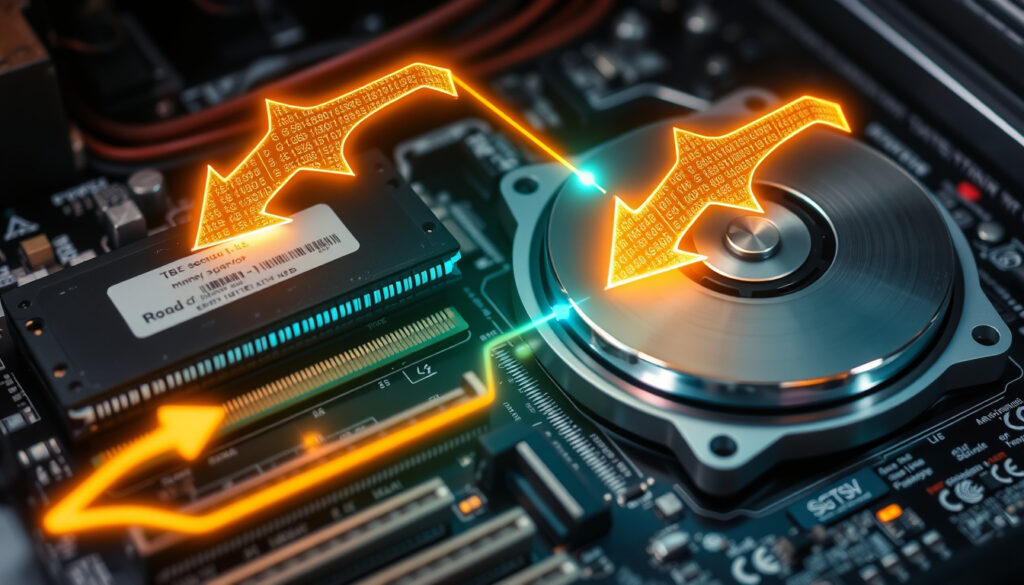
How the operating system uses swap for virtual memory
- The operating system moves inactive memory pages from RAM to the swap file (Lenovo Glossary).
- Swap extends available memory beyond physical RAM capacity (Red Hat Enterprise Linux 7 Storage Administration Guide).
The pattern: a swap file buys you time when memory pressure spikes, but it is not a substitute for more RAM. Red Hat explicitly states that swap space should not be considered a replacement for more RAM (Red Hat Enterprise Linux 7 Storage Administration Guide).
What Is the Purpose of a Swap File?
Swap is simultaneously the thing that prevents a crash and the thing that can slow your system to a crawl if relied upon too heavily.
Preventing out-of-memory (OOM) crashes
- Swap acts as an emergency pool of memory when RAM is exhausted (TechTarget).
- Without swap, the Linux kernel’s OOM killer terminates processes when memory runs out (Linux.com).
Enabling memory overcommit on Linux
- Linux uses swap to support memory overcommit (e.g., during fork()) (Linux.com).
Supporting hibernation (suspend-to-disk)
- Hibernation requires a swap partition or file at least as large as RAM (Red Hat Enterprise Linux 7 Storage Administration Guide).
The catch: each purpose has a trade-off. Hibernation demands large swap; memory overcommit risks OOM if swap is too small; and relying on swap as a primary memory pool degrades performance on any storage type.
Is Swapfile the Same as Pagefile?
The terms differ by operating system, but the job is identical: provide disk-backed virtual memory.
Terminology across operating systems
- “Swap file” is the common term on Linux and Unix systems (Linux.com).
- “Pagefile” is the equivalent on Windows (
pagefile.sys) (TechTarget). - macOS uses “swap file” but refers to the virtual memory subsystem as the backing store (BestReviews).
Functional equivalence
All three operating systems move idle memory pages to disk. Two differences: Windows calls its swap file pagefile.sys and manages it through the System Properties dialog; Linux uses the swapon/swapoff commands; macOS handles swap transparently with no user-facing configuration.
The trade-off: cross-platform familiarity is high but naming confusion leads many users to treat swap files and pagefiles as unrelated concepts. They are the same mechanism with different labels.
| Feature | Linux swap file | Windows pagefile | macOS swap |
|---|---|---|---|
| Common name | swap file or swap space | pagefile (pagefile.sys) | swap file / backing store |
| Default location | /swapfile or swap partition |
C:\pagefile.sys |
/private/var/vm/ |
| Management interface | CLI (swapon, mkswap, fstab) | System Properties (GUI) or wmic | Automatic, no user control |
| Supports hibernation | Yes (swap must be >= RAM) | Yes (hiberfil.sys is separate) | Yes |
| Hidden by default | No | Yes (TechTarget) | Yes |
Is It Safe to Delete Swap Files?
Deleting an active swap file is one of the fastest ways to destabilize a running system. Do it wrong and you lose work.
When deletion is safe (system off, swap disabled)
- On Linux, run
swapoff /swapfilefirst, then delete the file (Red Hat Enterprise Linux 7 Storage Administration Guide). - Windows
pagefile.syscan be disabled via System Properties > Advanced > Performance > Virtual memory (TechTarget). - Always reboot after disabling before deleting the file (InterServer).
Risks of deleting the active swap file
- Deleting the active swap file can crash or destabilize the OS (TechTarget).
- Sensitive data that was in memory may remain in swap; permissions should be set to 600 (root-only) (InterServer).
The implication: safe deletion requires planning. A user who deletes pagefile.sys while Windows is running will see system instability within minutes.
How to Handle Swapfiles in Vim?
Vim’s swap files are not operating system swap — they are recovery files that prevent lost work when the editor crashes.
What Vim swap files are (recovery files)
- Vim creates a
.swpfile while editing to prevent concurrent edits and enable recovery (TechTarget). - These files are stored in the same directory as the file being edited unless configured otherwise.
Recovering unsaved work from .swp files
vim -r filenamerecovers unsaved changes from the swap file (Lenovo Glossary).
Preventing Vim swap file creation
- Setting
set noswapfilein.vimrcdisables them (InterServer).
The catch: disabling Vim swap files removes crash recovery. It is useful for temporary files or directories with many files, but risky for long editing sessions.
Is a Swap File Needed?
For low-RAM systems, swap is a lifeline. For high-RAM systems, it is optional unless you hibernate.
When swap is necessary (low RAM, hibernation)
- Systems with low RAM (under 4 GB) benefit significantly from swap (Linux.com).
- Hibernation requires swap or a dedicated partition at least as large as RAM (Red Hat Enterprise Linux 7 Storage Administration Guide).
When swap can be omitted (sufficient RAM, no hibernation)
- Systems with ample RAM (32 GB+) can often run without swap if not hibernating (TechTarget).
What this means: a desktop with 32 GB of DDR5 and no hibernation will function fine without swap. A laptop with 4 GB of RAM needs swap to avoid OOM crashes during normal multitasking.
What Is Another Term for a Swap File?
Different names, same job: disk-backed virtual memory.
Swap space
- Unix/Linux documentation often uses “swap space” to refer to both swap files and swap partitions (Linux.com).
Paging file
- Windows uses “paging file” or “pagefile” (
pagefile.sys) (TechTarget).
Virtual memory file
- General reference to any file used as virtual memory backing (Lenovo Glossary).
The pattern: regardless of terminology, the concept is universal across operating systems.
Pros and Cons of Using a Swap File
Upsides
- Prevents out-of-memory crashes when RAM fills up (TechTarget)
- Enables hibernation (suspend-to-disk) on Linux and Windows (Red Hat Enterprise Linux 7 Storage Administration Guide)
- Easier to resize or delete than a swap partition (InterServer)
- No need to repartition a disk to add swap (Linux.com)
Downsides
- Slower than RAM — even on NVMe SSDs (TechTarget)
- Can cause system instability if deleted while active (TechTarget)
- SSD lifespan impact from frequent writes (minimal but non-zero) (InterServer)
- Security risk if world-readable — sensitive data may remain in swap (InterServer)
The pattern: swap files solve a critical memory pressure problem but introduce performance, security, and durability trade-offs that grow with usage frequency.
How to Create and Manage a Swap File on Linux
Creating a swap file on Linux takes six commands. Removing it safely takes two.
Creating a swap file
- Create the file:
sudo dd if=/dev/zero of=/swapfile bs=1G count=4(creates 4 GB swap) (Red Hat Enterprise Linux 7 Storage Administration Guide). - Set permissions:
sudo chmod 600 /swapfile(Red Hat Enterprise Linux 7 Storage Administration Guide). - Initialize as swap:
sudo mkswap /swapfile(Red Hat Enterprise Linux 7 Storage Administration Guide). - Activate:
sudo swapon /swapfile(Red Hat Enterprise Linux 7 Storage Administration Guide). - Make permanent: add
/swapfile none swap sw 0 0to/etc/fstab(Red Hat Enterprise Linux 7 Storage Administration Guide).
Removing a swap file safely
- Deactivate:
sudo swapoff /swapfile(Red Hat Enterprise Linux 7 Storage Administration Guide). - Delete the file:
sudo rm /swapfile(InterServer). - Remove the
/etc/fstabentry if one was added.
The pattern: swapping off before deleting is non-negotiable on any OS with active swap.
“Swap space in Linux is used when the amount of physical memory (RAM) is full. If the system needs more memory resources and the RAM is full, inactive pages in memory are moved to the swap space.”
— Red Hat Enterprise Linux 7 Storage Administration Guide (Red Hat Enterprise Linux 7 Storage Administration Guide)
“A swap file is an area of the hard drive or SSD that the operating system uses to store data that cannot be held in RAM.”
— TechTarget (TechTarget)
“Linux has two forms of swap space: the swap partition and the swap file. The swap file is just a regular file in the filesystem that the kernel uses as swap.”
— Linux.com (Linux.com)
For a home user with a 16 GB Windows laptop who never hibernates and never runs memory-heavy applications, disabling swap frees up 16 GB of disk space with negligible risk. For a Linux server running database workloads, swap is a critical safety valve that prevents OOM termination of processes. For anyone using Vim extensively, swap files are an insurance policy against lost work. The choice is not whether swap is good or bad — it is whether your specific workload justifies the trade-off between disk space, performance, and safety.
To understand how swap works across different operating systems, you can refer to a detailed guide to swap files that explains both Linux and Windows implementations.
Frequently asked questions
Does a swap file reduce performance?
Yes, because disk I/O is orders of magnitude slower than RAM. Even on NVMe SSDs, swap access is roughly 10x slower than RAM access (TechTarget).
How large should my swap file be?
It depends on RAM size and use case. Red Hat recommends 2x RAM for systems under 2 GB, equal to RAM for 2-8 GB, and 0.5x for systems over 8 GB (Red Hat Enterprise Linux 7 Storage Administration Guide).
Can I use both a swap file and a swap partition?
Yes. Linux supports both simultaneously, and the kernel will use whichever is available (Linux.com).
Is swap necessary for gaming?
Not usually. Modern games require high RAM and fast VRAM; swap will not help and may cause stuttering due to disk latency (TechTarget).
How do I check the size of my swap file in Linux?
Run swapon --show or free -h to see swap file size and usage (Red Hat Enterprise Linux 7 Storage Administration Guide).
What happens if my swap file is too small?
The kernel may invoke the OOM killer to terminate processes when both RAM and swap are exhausted (Linux.com).
More related posts
 Frankston Police Station – Address, Contacts and Services Guide
 Alisha Lehmann: Relationship, Age, Height, and Career Facts
 Nicki Minaj: Citizenship, Feuds & Net Worth Explained
 Anton Yelchin: Death, Cause, Relationships & Last Movie
 Emperor Penguin: Facts, Habitat, Endangerment & Comparison
 Mary Reibey: From Horse Thief to $20 Note Businesswoman
 Metallic Taste in Mouth: Causes, When to Worry & How to Fix It
 Minimum Wage Australia – 2025 Rates and Eligibility Guide
